Applying Return Labels to Your Frate Return
Last updated: February 20, 2025
Overview
When processing a return through Frate Returns, you have flexibility to configure the return shipments (i.e., how each item gets sent back to the warehouse). These shipping groups are each assigned a unique shipping label. Below is a step-by-step guide on how to apply return items to shipments correctly and understand the available expense and destination options.
How to Apply Return Labels
Identify Shipping Groups
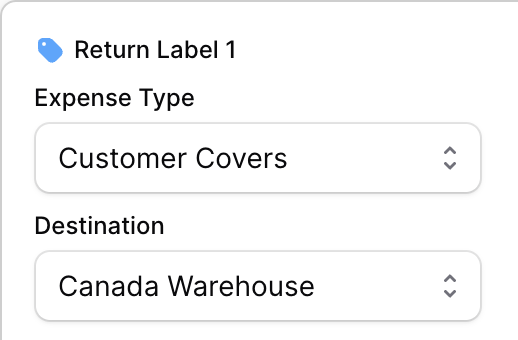
Each shipping group will be assigned a specific return label (e.g., Return Label 1, Return Label 2, etc.).
Items assigned to the same shipping group will share a single shipping label.
Select the Expense Type
Choose from the dropdown menu to determine who covers the shipping cost:
Customer Covers – Frate generates and sends the return label to the customer, but the shipping fee is deducted from the refund amount or charged separately.
Merchant Paid – The merchant covers the shipping cost, and Frate sends the return label to the customer at no charge.
Customer Self Ship – No return label is provided by Frate. The customer is responsible for shipping the item back on their own.
Select the Return Destination
Choose the location where the return should be sent. This is determined by the merchant.
The available destinations will be listed in the dropdown menu for selection.
Important Notes
Each return label corresponds to one shipping label, meaning items must be grouped correctly.
If the wrong expense type is selected, it may impact the refund or require additional payment.
Customers choosing "Customer Self Ship" must ensure they use a reliable shipping method with tracking to avoid issues with their return.
By following these steps, you can ensure a smooth and efficient return process using Frate Returns. If you need further assistance, please contact our support team at support@frate.com