Why do I see "You owe the customer a refund"?
Last updated: December 30, 2025
For all returns for store-credit and exchanges not using the Exchange API, you will see a banner on the original Shopify order like this once the return is processed:
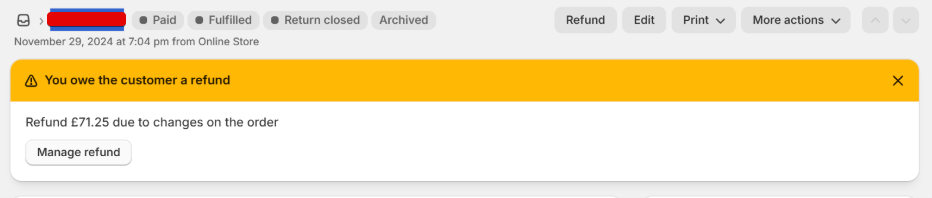
This may seem like a problem, but it's actually the expected behaviour for these types of returns, and this article will explain why.
How Frate processes returns
Frate uses Shopify's recommended approach to returns management, which involves calling the returnProcess API to mark returns as "done." The implications of this for store-credit returns and exchanges not using the Exchange API are:
For exchanges not on the Exchange API, we are forced to put exchange line items on a separate order. So, when we "process" the returns on the original order, there is a negative sales agreement for the return items which are not balanced out by any exchanges (because they are on a separate order).
For store credit, similarly to the previous point, since the GiftCard is issued external to the original Order/Return, there is a negative sales agreement for the return items which never get balanced out because the thing which would normally balance it out (e.g., a refund or a native exchange) does not exist on the order.
So, this is expected behaviour on the latest shopify APIs, and when Shopify says "You owe the customer a refund", you can essentially ignore it because we have accounted for that "Refund" either in the form of an exchange on a new order, or with store-credit as a GiftCard, both of which are not directly connected to the order, hence the shopify banner.
How to avoid this banner
To avoid this banner for exchanges, you must migrate to the Exchange API. For store-credit, we are working on supporting Shopify native store credit to solve this, but that is currently a work in progress.